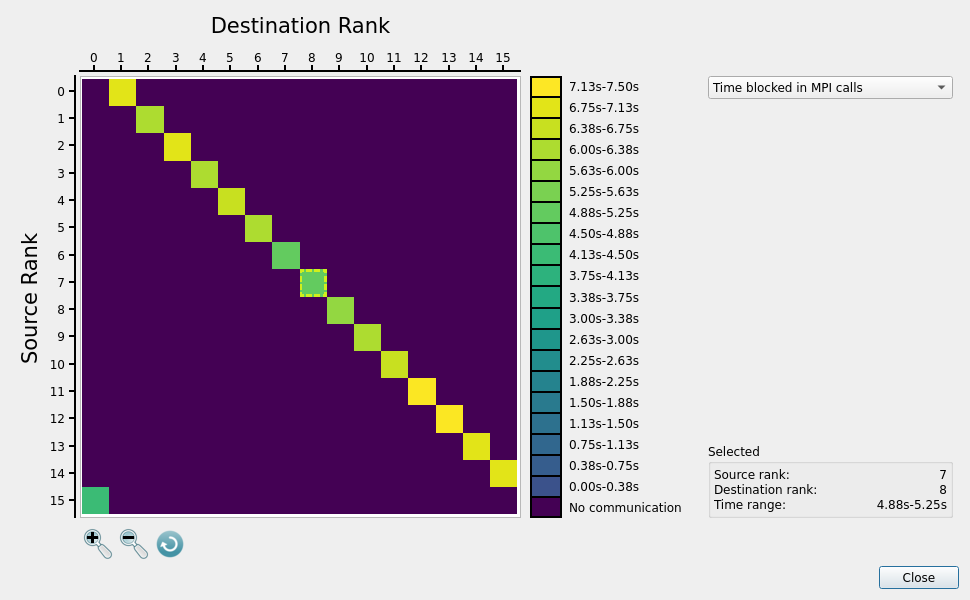
MPI Comm Matrix Dialog
To open the dialog use the menu option,
or click the MPI Comm Matrix button ( ) in the toolbar.

Note
This dialog is only available if there were MPI calls detected during the run and is disabled when profiling non-MPI programs.
Note
All the data shown in this dialog is always across the entire sample runtime. As such, the matrices do not change if you select a particular region within the main Linaro MAP window.
Note
This dialog is not available for .map files that were generated without the
MPI Comm Matrix feature included in the license.
Collected values
Linaro MAP will collect a number of metrics detailing pairwise communication throughout the profile when the MPI Comm Matrix feature is enabled. The following values are recorded:
- # bytes transferred
The number of bytes transferred based on the arguments to the MPI call (actual number of bytes sent across the network may differ, as MPI implementation internals are not visible) for each source/destination pair. Only the sent bytes are tracked; the feature does not represent when a mismatch occurs between sent / received, e.g with
MPI_Reduce_scatter.- # MPI calls made
The total number of MPI calls made for each source/destination pair.
- Time in MPI calls
Time spent waiting for MPI calls to return for each source/destination pair.
MPI Comm Matrix displays this information using source/destination heat-maps of the communication. Values are displayed in the form of lower and upper bound ranges, which can be seen in the accompanying legend to the right of the matrix heat-map. The lower bound is not inclusive, so a metric value which is the same as the boundary value between two ranges will be classified in the range in which its value is the upper bound.
Each heat-map matrix can be viewed by clicking on the right hand side combo-box and choosing the required metric type.
Navigating the matrix heat-map
As the number of ranks may be large, the heat-map can be panned by clicking and dragging with the mouse, or zoomed in/out with the mouse-wheel or track-pad. Buttons to zoom in/out or reset the zoom level are available in the bottom left of the dialog, below the heat-map. The x-axis and y-axis bars will update when the heat-map is panned or zoom level is changed.
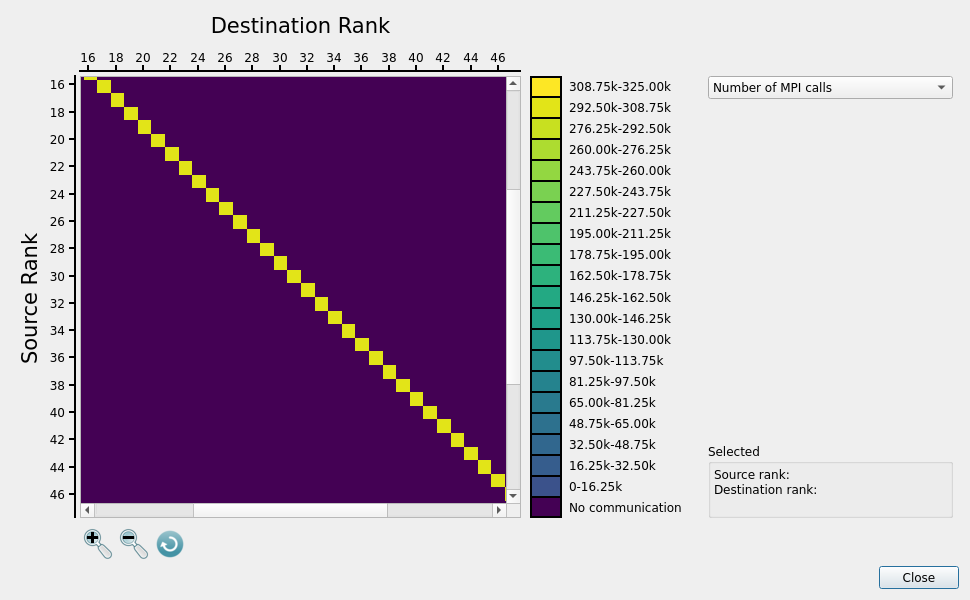
When moving the mouse cursor over the matrix heat-map, a square source/destination pair cursor will appear. Clicking on a specific source/destination pair will update the selection details box on the bottom right hand side of the dialog. This displays the source and destination rank, as well as the range in which the collected metric value falls in.